
Admin module
The site writes to you, not the other way round
Nobody keeps the admin panel open all day. An enquiry, an order paid, a sign-in you did not make — these are worth knowing about in the minute they happen, and the phone in your pocket is where you will see them.
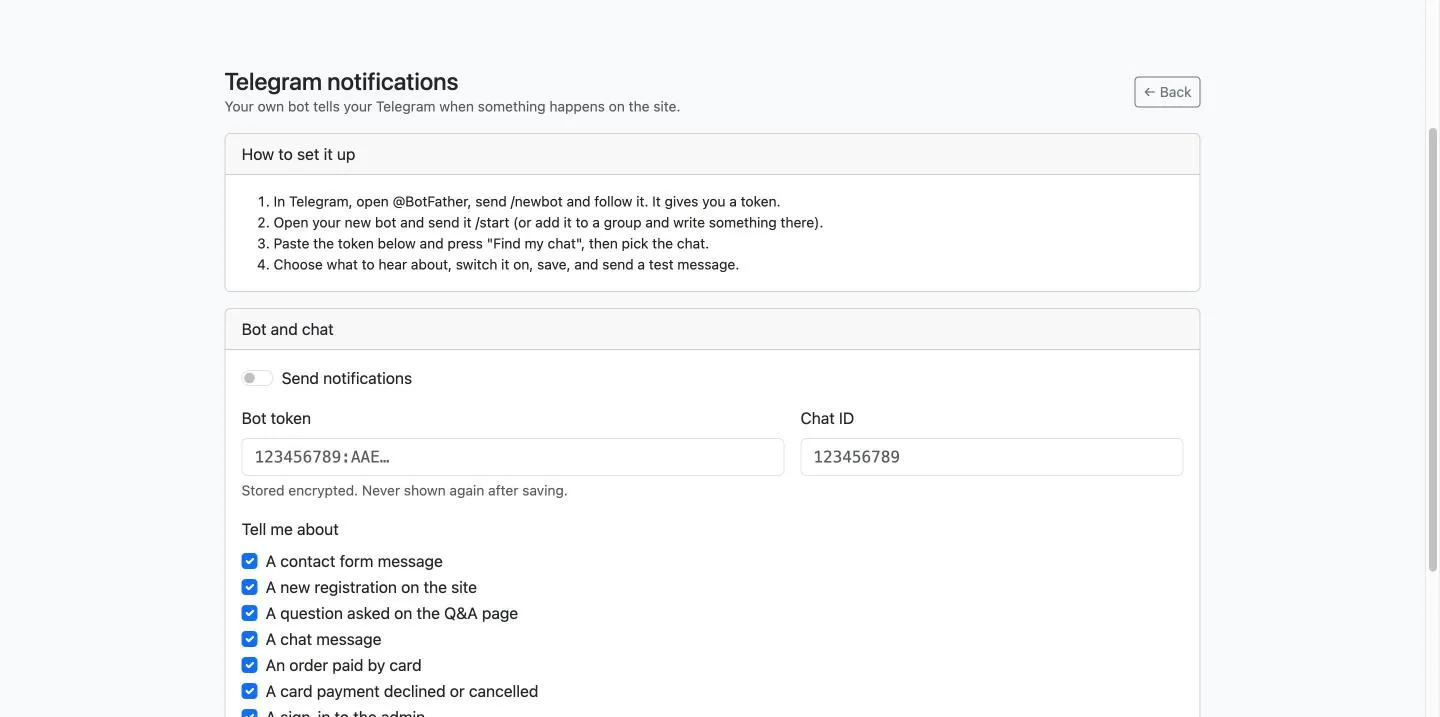
Four steps, and it is your bot
There is no account to open here and no service in the middle. The bot is yours, the chat is yours, and Telegram never learns who we are.
Make a bot
In Telegram, open @BotFather, send
/newbot, and follow it. It hands you a token.
Say hello to it
Open your new bot and send it /start, or add it to a
group and write something there. A bot cannot write to you first.
Paste the token
Then press Find my chat and pick the chat. Nothing to copy by hand and no chat id to look up.
Choose what to hear
Tick the events, switch it on, save, and send yourself a test message to be sure.
Eleven things it can tell you
Tick the ones that matter and leave the rest. A notification you always ignore is a notification that will hide the one you needed.
- A message through the contact form
- A new registration on the site
- A question asked on the Q&A page
- A chat message — once per conversation per ten minutes
- An order paid by card
- A card payment declined or cancelled
- A sign-in to the admin panel
- An account flagged after too many wrong tries
- Two-factor sign-in switched off for someone
- A wrong two-factor code
- A site error — its reference and where it happened
Three things it has to get right
A notifier sits inside other people's work. It is allowed to fail; it is not allowed to take anything down with it.
It cannot slow the site
Nothing is sent while a visitor is waiting. The message is queued and goes out after the page has already been delivered, so Telegram being slow is Telegram's problem and not your customer's.
It cannot break anything
The sender never throws. A wrong token, a deleted chat or an outage costs you the notification and nothing else: the order is still taken, the form still submits, the sign-in still works.
It does not carry secrets
A site error sends its reference and the place it happened, never the message itself. A notification that quotes an exception is a notification that will one day quote a password.
Where the token lives
A bot token is a password: with it, anyone can write as your bot. It is sealed in the database under a key that lives in a file on the server, so a copy of the database on its own does not open it. The admin shows it once and never again, and it never appears in a log.