The Posts module is where all written content in ModularPress comes together.
It gives editors a clean, focused workspace while keeping structure, URLs
and publishing rules fully under control.
What the Posts module is for
The Posts module is the heart of content management in ModularPress.
It is designed for teams that want clarity instead of complexity.
Every post follows the same predictable rules, so content stays organised
even as the site grows.
Posts are used for pages, articles, documentation, updates and any other
long form content. Editors work with clean HTML or a visual editor,
while the system takes care of structure and consistency through
Categories and navigation managed in
Menus.
Create and manage articles, pages and documentation in one place.
Keep content organised through clear categories and language.
Control visibility with status and publish date.
Maintain clean, stable URLs across the site for every post.
Clean overview of all posts
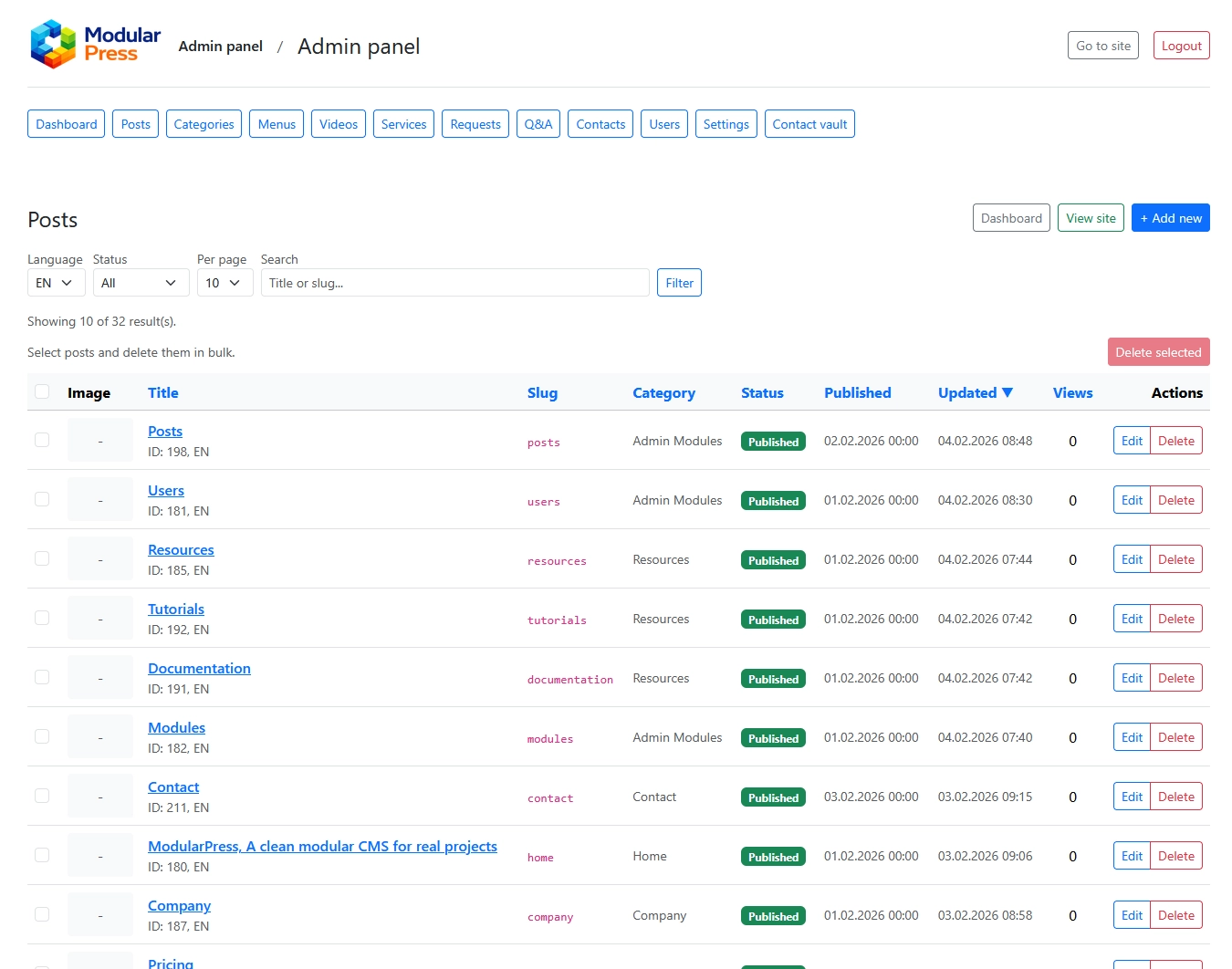
The main Posts screen shows all content in a single table.
You see title, slug, category, status, publish date,
last update and view count at a glance.
Sorting and filtering help you quickly find recent changes,
drafts or content in a specific language so you always know
what is live, what is planned and what is being edited.
Language aware content
Every post belongs to one language and one category.
Slugs are unique per language which keeps URLs clean
and avoids conflicts in multilingual setups.
This approach keeps translations simple and predictable,
without introducing complex translation layers or duplicate content.
Status and scheduling
Posts can be published, unpublished or scheduled.
You control exactly when content becomes visible,
down to the date and time.
Drafts allow teams to prepare and review content
without exposing unfinished work to visitors, which is ideal
for editorial workflows with multiple reviewers.
Structured categories
Each post belongs to exactly one category.
Categories define navigation, listings and page layouts,
keeping the site structure easy to understand for both users and search engines.
This prevents duplicated content and unclear hierarchies
that often appear in over engineered systems and keeps
the link between posts, categories and menus straightforward.
SEO and AEO control
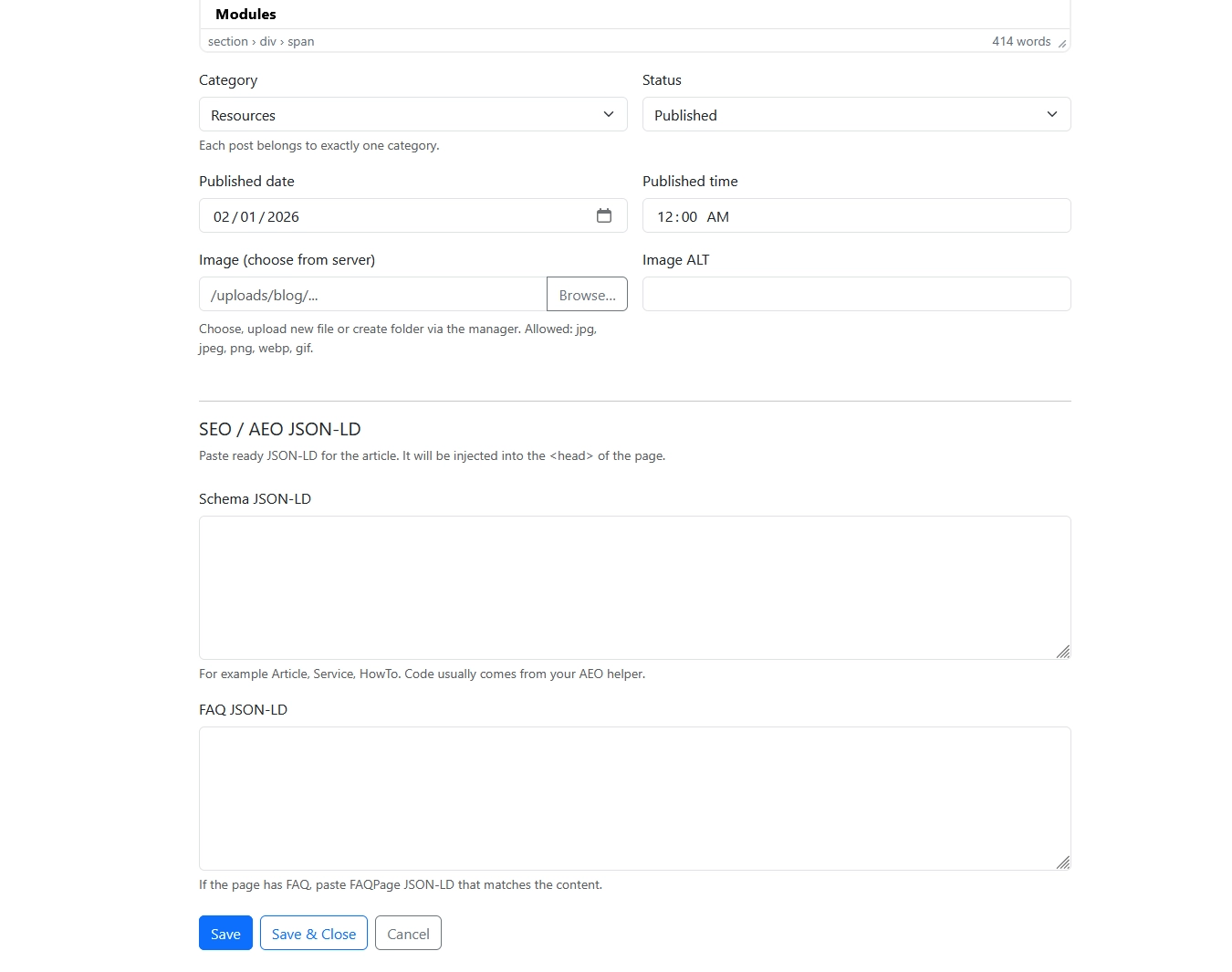
The post editor includes dedicated fields for SEO metadata and AEO JSON LD.
Structured data such as Article or FAQ can be added
without touching templates or code.
Together with global options in the
SEO module,
this keeps content clean while still allowing full control
over search and AI visibility on a per post basis.
Typical workflows
Create a draft, review it with editors and publish later on a chosen date.
Update existing content without changing URLs or breaking links.
Filter posts by language, category or status to prepare reports.
Track recent changes and updates easily from the main Posts list.
Posts module in action
The screenshots below show the Posts list and the post edit screen.
Clicking on a screenshot opens a full size preview in a popup overlay.
Posts list view with filters for language and status,
sorting by update time and a clear overview of all content.
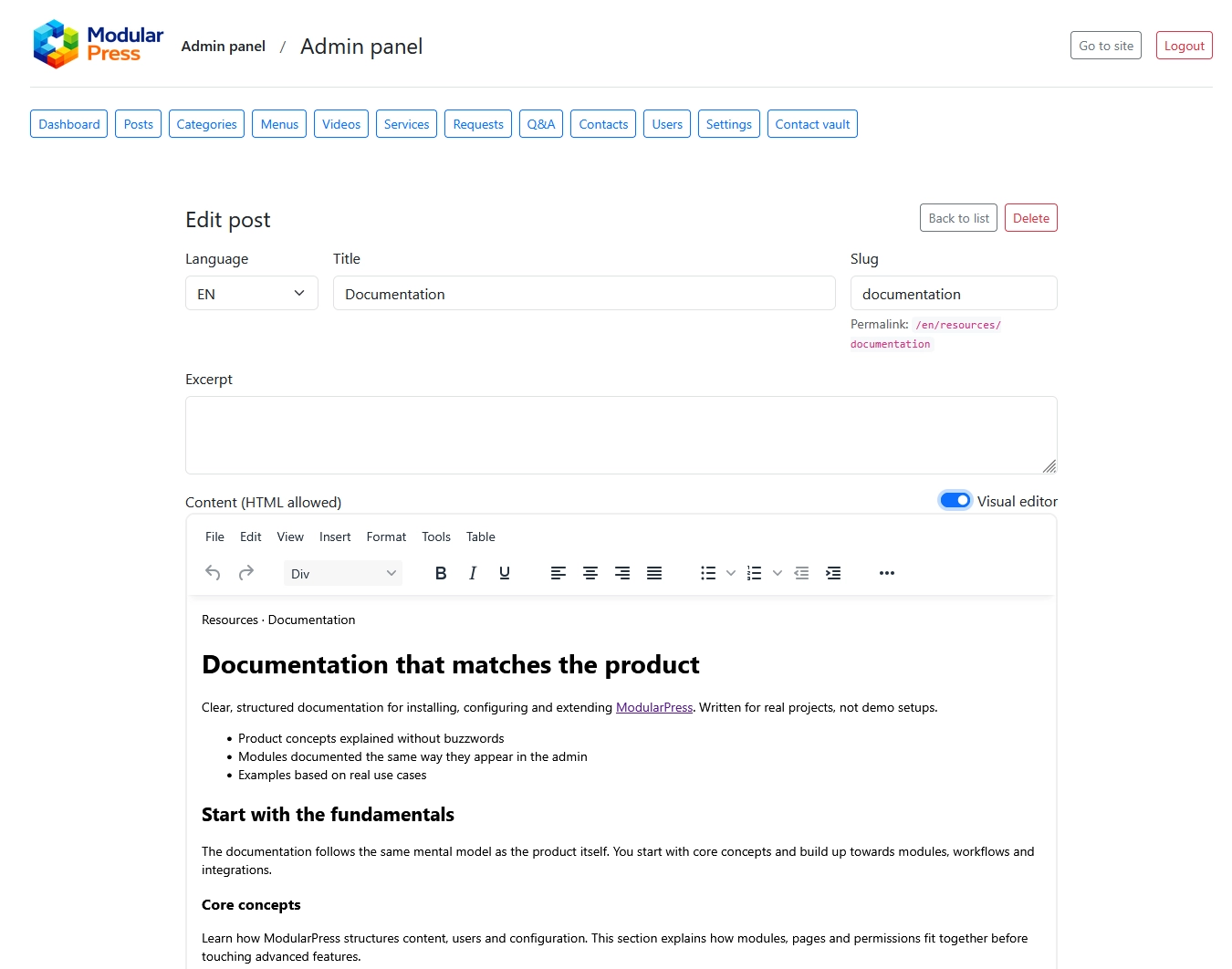
Post edit screen with content editor, category selection,
publishing controls and SEO / AEO JSON LD fields.
Post edit screen with content editor, category selection,
publishing controls and SEO / AEO JSON LD fields.