The Settings module is the central configuration layer of the system.
It controls global site behavior, language specific texts
and external integrations. All critical configuration lives
in one predictable place and works together with modules such as
SEO and Contacts.
What the Settings module is for
Settings define how the site behaves, looks and communicates.
They replace scattered configuration files and hard coded values
with a structured and auditable admin interface.
The module is designed to support multi language sites,
template switching and external services
without touching application code.
Configure global site behavior.
Manage texts per language.
Control tracking and analytics integrations.
Centralize social network configuration.
Global site configuration
Main settings apply to all languages.
They include site level options,
active template selection
and technical configuration.
Changes are applied consistently across the site
which keeps behavior predictable for both visitors and editors.
Language management
The module supports multiple languages
for both the admin interface and the public site.
Languages can be added, removed or switched at any time.
Each language has its own independent content
while sharing the same global configuration layer.
Texts per language
Visible site texts are managed per language.
This includes site name, brand name,
taglines, business hours and high level contact labels.
Detailed contact records live in the
Contacts module,
so editors always know where to update which part of the information.
Tracking and analytics
External services are configured through dedicated fields.
Supported integrations include GTM, GA4,
Facebook Pixel and Hotjar.
IDs can be added or removed without code changes
and work together with the technical options available
in the SEO module
for a clean and consistent tracking setup.
Template and branding control
The active site template can be switched
directly from the admin panel.
Logo and brand related settings are managed centrally.
This allows fast visual changes without redeployment
and keeps branding consistent across all pages.
Social network management
Add or remove social network links.
Control display order and visibility.
Avoid hard coded links in templates.
Use a single source of truth for social profiles.
Settings module in action
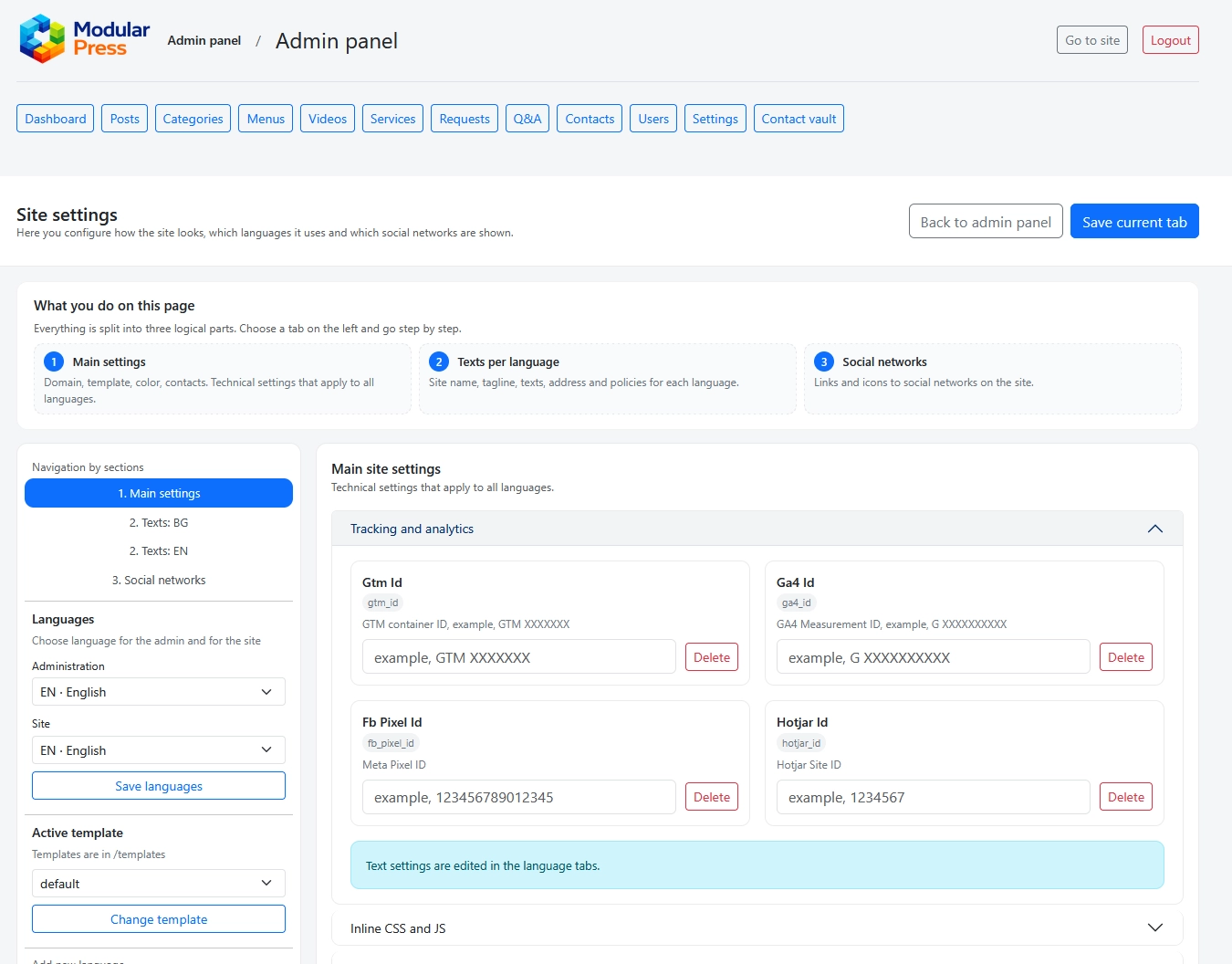
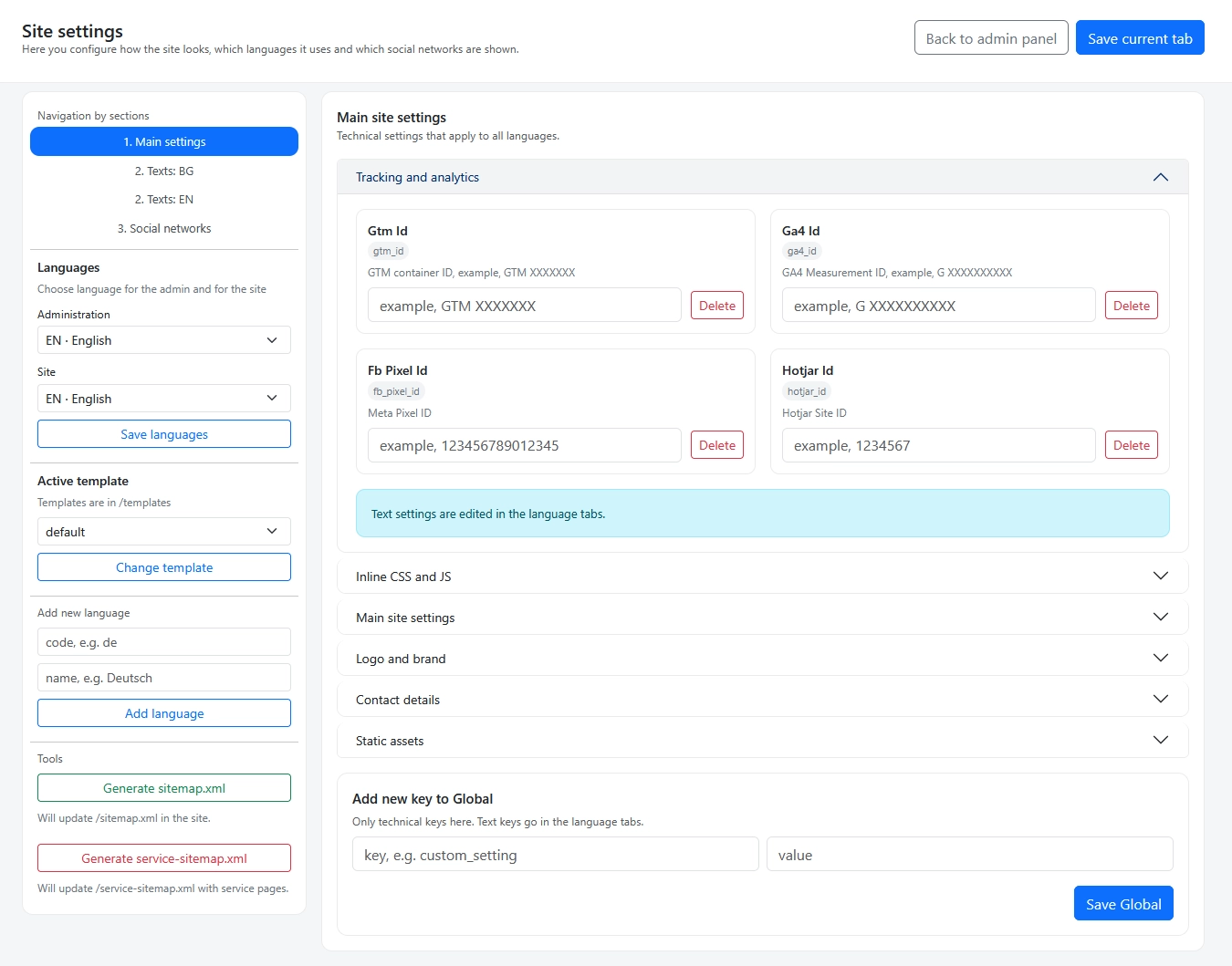
The screenshots below show main site settings,
language specific text configuration
and social network management.
Click on any image to view it in full size.
Global site settings including tracking,
languages and template selection.
Editing visible site texts separately for each language.
One place. Full control.
The Settings module centralizes configuration,
content and integrations in a single interface.
No scattered options, no hidden dependencies,
just a clean and predictable configuration layer.