The Security module protects your admin panel from automated attacks,
brute force attempts and abuse.
It adds a clear and predictable protection layer without breaking
the login flow for real users or trusted
admin accounts.
Why admin security matters
The admin panel is the most sensitive part of every CMS.
It controls content, users, configuration and integrations
with third party services.
Even small projects are constantly scanned by bots looking for
weak passwords or exposed login forms.
The Security module addresses this problem directly
at the admin login level.
Protect admin login from automated attacks.
Reduce brute force and credential stuffing attempts.
Keep login simple for humans and difficult for bots.
Choose modern captcha providers without code changes.
Admin login protection
The Security module focuses specifically on the admin login form.
When enabled, every login attempt is validated through
a captcha provider before credentials are processed.
This blocks automated scripts while keeping the login
experience unchanged for legitimate users.
Multiple captcha providers
ModularPress supports modern captcha solutions instead of
legacy image based challenges.
You can choose between Cloudflare Turnstile
and Google reCAPTCHA.
Providers can be switched at any time without changing templates
or rewriting login logic.
Auto mode with fallback
In Auto mode the system prefers Cloudflare Turnstile
when keys are available.
If not, it automatically falls back to Google reCAPTCHA.
This is useful when working across multiple environments
such as staging and production.
Independent from key availability
Captcha protection can be enabled or disabled
independently of whether provider keys are already configured.
Keys themselves are managed centrally
through the Settings module.
Clear configuration interface
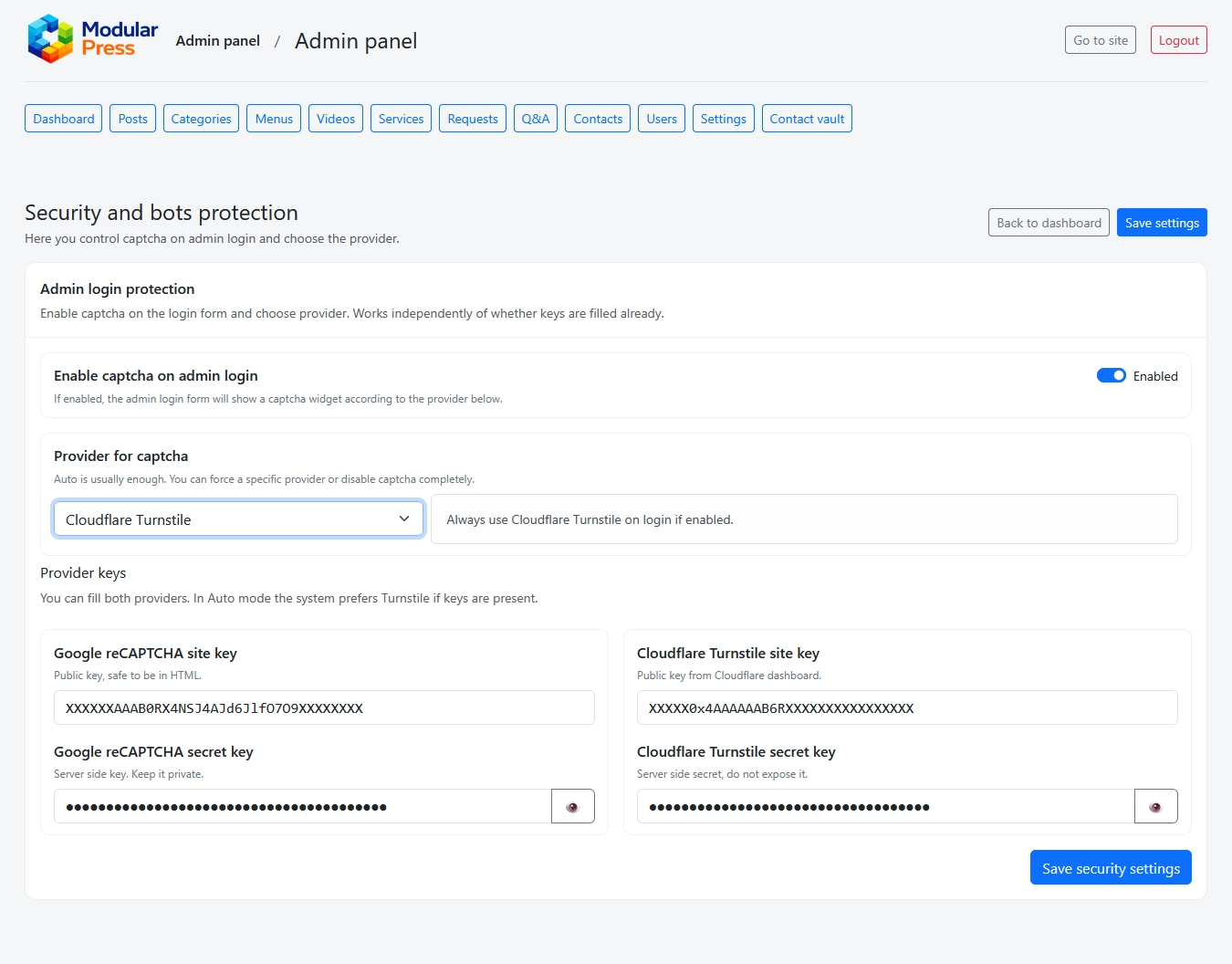
All security related options live on a single screen.
You immediately see which provider is active,
which keys are present and whether protection is enabled.
This avoids scattered configuration
and makes security audits straightforward.
Typical security workflows
Enable captcha on admin login before launch.
Switch providers based on hosting or CDN setup.
Temporarily disable protection during internal testing.
Rotate keys without changing application code.
Security module in action
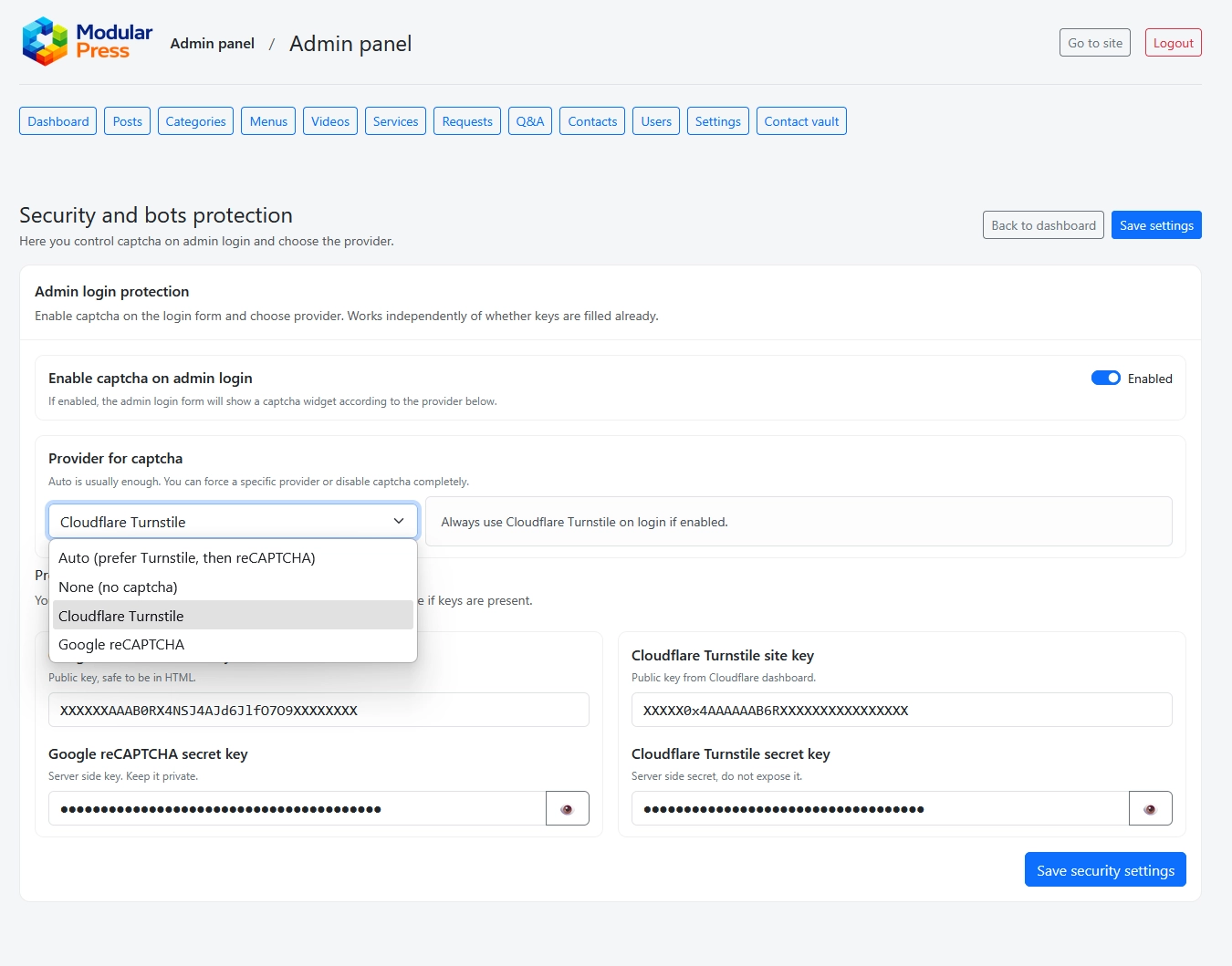
The screenshots below show the main Security settings screen
and the captcha provider selection.
Clicking on an image opens a full size preview.
Security settings with provider selection,
key configuration and protection status.
Provider selection with Auto mode
and explicit choices for each captcha service.
Security without friction
The Security module adds a strong protection layer
while keeping the admin experience clean and predictable.
It works quietly in the background
and becomes visible only when needed.